
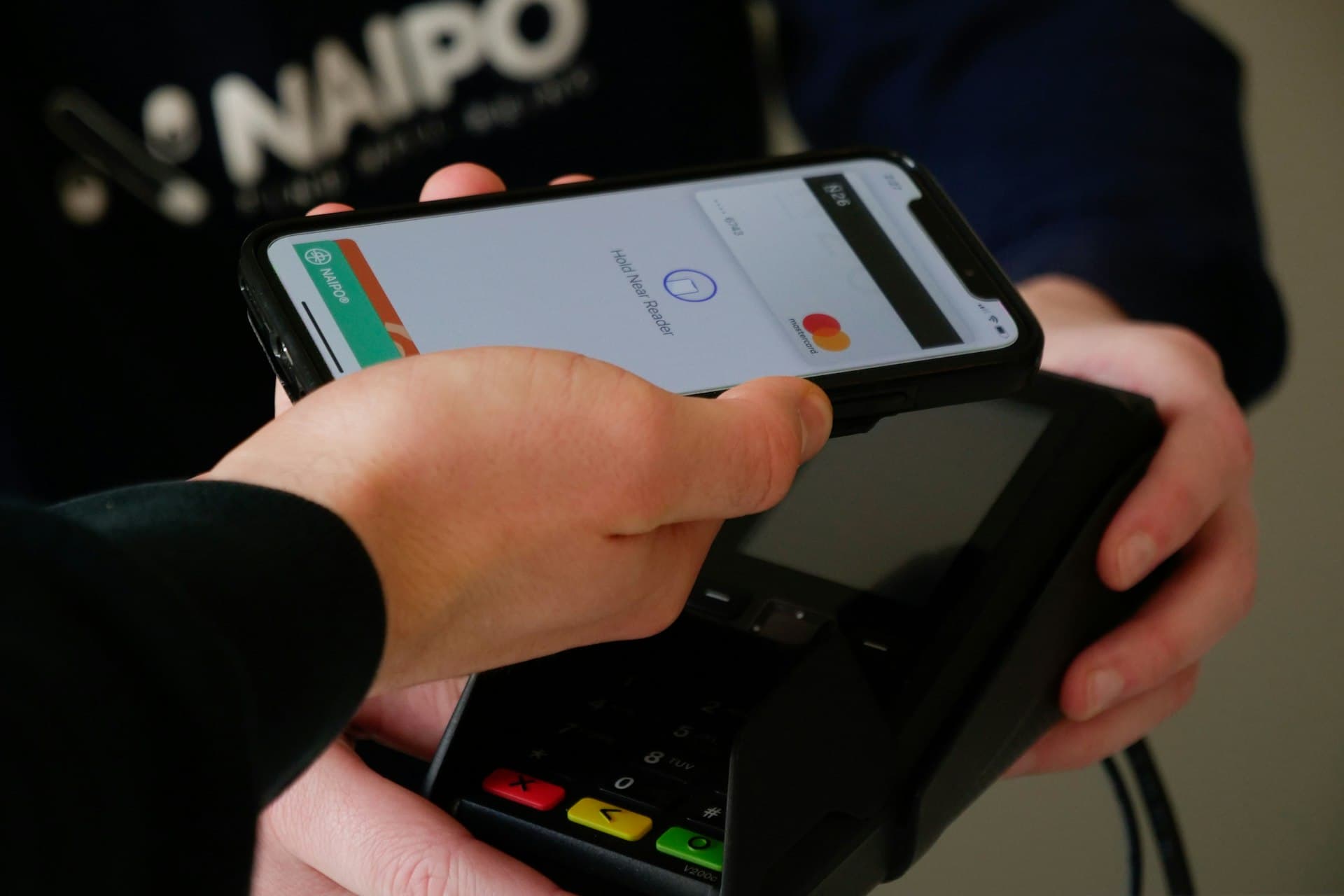
Management software for multi-branch retail and pharmacy chains – ADO RetailCheckout, inventory, customers, HR and accounting for every branch in one system.
ADO Retail was built on a retail and pharmacy chain running in production, not a demo. Each branch sells independently while figures reach head office in real time.
The more branches, the harder the chain is to control
Problems we see in almost every retail and pharmacy chain before it moves to a single ERP.
Stock mismatches across branches
No clear view of which item is where, transfers recorded by hand, near-expiry goods found too late.
Figures arrive late
Revenue, payables and gross margin per branch wait for end-of-day or end-of-month spreadsheets.
Customers are not recognised
A customer who buys at one branch has no history at the next, and loyalty points do not carry over.
Manual attendance and payroll
Staff rotate across branches; timekeeping and payroll take days every period.
One platform for the whole chain
All modules share one database: no syncing back and forth, no double entry.
Retail point of sale
Fast barcode checkout, VND rounding, in-store receipt printing, keeps selling on an unstable connection.
Multi-branch management
Each branch is its own operating unit with separate stock, revenue, costs and access rights.
Inventory, lots and expiry
Receipts, deliveries and transfers between warehouses, lot and expiry tracking, near-expiry alerts.
Customer loyalty
Points, membership tiers, price lists and bundles applied consistently across the chain.
Website & e-commerce
Sell online with the same catalogue, prices and stock as the stores.
HR, attendance and payroll
Employee records, shifts, leave and payroll calculated with the chain’s own policies.
Designed for real retail operations
The customisations below were built while running a real chain, not on paper.
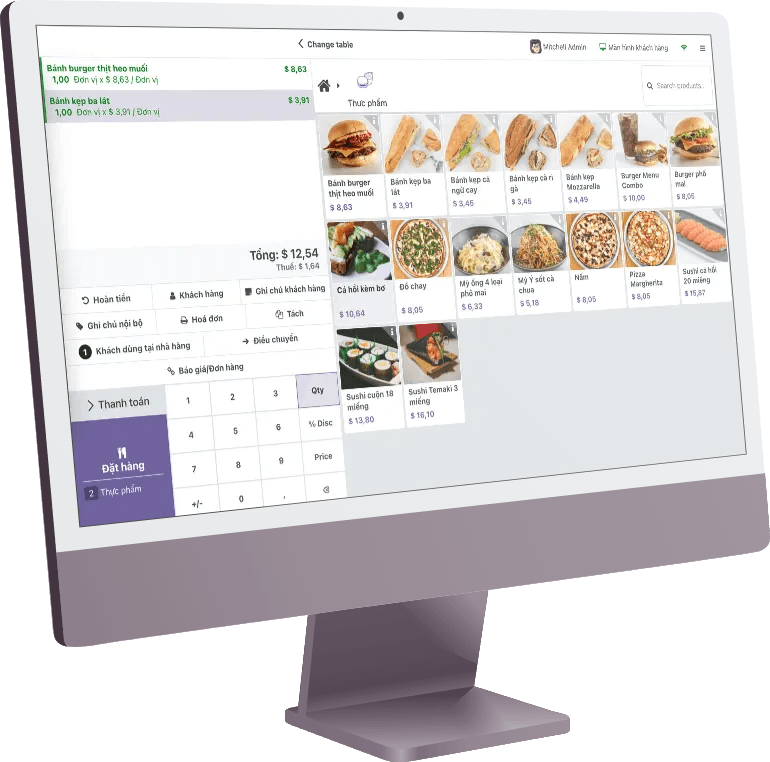
Checkout
A fast, low-click checkout that tolerates network issues.
- Quick search — by name, barcode or active ingredient across tens of thousands of items.
- Price lock — cashiers cannot change prices outside the approved policy.
- In-store printing — custom receipt layouts, local printers, VND rounding.
- Pharmacy — look up a customer’s receipt history right at the counter.
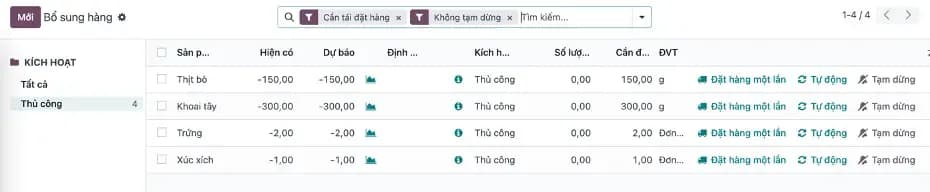
Multi-branch inventory
Each branch’s stock always matches head-office records.
- Internal transfers — create, approve and receive transfers between branches in the system.
- Lots and expiry — near-expiry alerts so goods are handled before they must be written off.
- Replenishment — suggested order quantities based on each warehouse’s minimum stock.
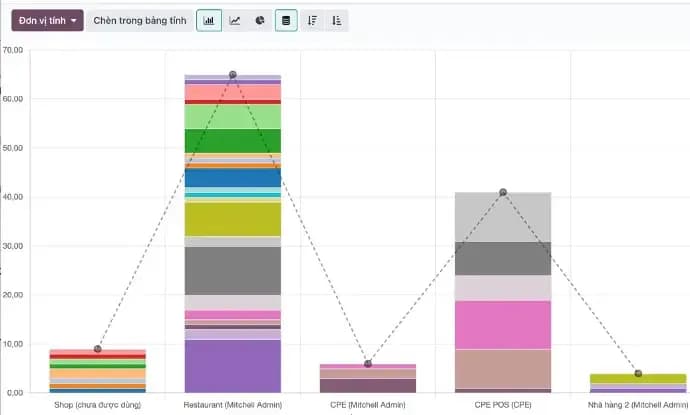
- Stock reports — movements and balances by warehouse, category and period.
Customers & promotions
One customer profile shared by every branch and the online store.
- Loyalty points — points and tiers valid across the whole chain.
- Price lists & bundles — by branch, customer group or time period.
- Omnichannel care — Zalo, Facebook and website conversations in one inbox (AOmnichat).

HR & payroll
Manage a large team rotating across many stores.
- Attendance — by shift and branch, with late-arrival and early-leave reasons.
- Leave & holidays — public holidays applied automatically by province.
- Payroll — salary rules, allowances and overtime per chain policy, posted straight to accounting.

Accounting & e-invoicing
Sales flow straight into the books, no re-entry.
- Branch accounting — revenue, costs and gross margin per operating unit.
- E-invoicing — issue VAT invoices via MISA meInvoice or Viettel S-Invoice directly from orders.
- Payables — supplier balances, partner ledgers and daily reports.
The Golden Mouse retail and pharmacy chain runs on ADO Retail
A multi-branch chain of pharmacies, retail stores and F&B outlets running sales, inventory, HR and accounting on one system.
- Business applications running in production
- 31
- Platform for POS, inventory, HR, accounting and website
- 1
- Separate accounting and access rights for each store
- Multi-branch
- E-invoices issued directly from the system
- MISA · Viettel
Go live in phases without disrupting your stores
Survey & data clean-up
Review the item catalogue, price lists, opening stock and each branch’s processes.
Pilot one branch
POS, inventory and reports run live in one store and are fine-tuned before scaling.
Roll out to the chain
Open branches one by one with on-site training for cashiers and store managers.
HR, accounting & e-commerce
Add payroll, accounting, e-invoicing and the online store once sales operations are stable.
Frequently asked questions about ADO Retail
Still have questions?
An ADO ERP consultant will walk through your business case with you — free, 1-on-1.
+84 918 38 88 11Book a consultationHow is ADO Retail different from a standard POS?
A standard POS covers only the checkout. ADO Retail also runs multi-branch inventory, customers, HR and payroll, and accounting on the same data, so owners see the real gross margin of every store.
Does it suit pharmacies?
Yes. It runs at a chain that includes pharmacies: search by active ingredient, lot and expiry tracking, and customer receipt history at the counter.
Can the counter keep selling if the internet drops?
Yes. The POS keeps selling and printing receipts on an unstable connection and syncs automatically once it is back.
Does it issue e-invoices?
Yes. The system is connected to MISA meInvoice and Viettel S-Invoice and issues VAT invoices directly from orders.
Can we migrate existing data?
Yes. The team migrates items, customers, suppliers and opening stock from spreadsheets or your current software.
Are there per-user licence fees?
No. There are no per-user licence fees and you fully own your data.
See ADO Retail running on a real chain’s data
Book a demo to see checkout, multi-branch inventory and per-store margin reports, plus a rollout plan for your chain.

The ADO ERP delivery approach
Start from a complete system
Begin with a proven, optimized solution instead of building from a bare Odoo installation.
Fastest hand-over
The first release covers 80–90% of requirements out of the box; customization is kept to a minimum.
Keep costs within budget
ADO ERP owns delivery and product design decisions to minimize time and maximize value for you.
Go digital with ADO ERP
Leave your details and one of our consultants will get back to you for a free 1-on-1 consultation within one business day.